

Graphic design is no longer reserved for professionals with years of experience using complex software. Today, creators, entrepreneurs, marketers, educators, and small businesses can produce high-quality visual content using browser-based design platforms that require little to no design expertise.
Among the most popular options available today, Canva and Adobe Express consistently dominate the conversation. Both platforms promise an easy way to create social media graphics, presentations, marketing materials, videos, posters, flyers, and branded content. Both offer extensive template libraries, AI-powered features, and collaboration tools designed to streamline content creation.
Yet despite their similarities, these platforms take noticeably different approaches. Canva focuses heavily on accessibility, ease of use, and team collaboration, while Adobe Express benefits from Adobe’s creative ecosystem and deeper integration with professional design workflows.
For many users, the question isn’t whether either platform is capable. Both are highly capable. The real question is which one aligns better with your goals, budget, workflow, and skill level.
At Retro Living Today, we’ve spent considerable time evaluating modern productivity and creative software to understand how these tools perform in real-world scenarios. This comparison goes beyond marketing claims to examine practical strengths, limitations, and use cases that matter to everyday users.
Whether you’re a content creator producing daily social media posts, a business owner managing branding materials, a teacher creating classroom resources, or a marketer building campaigns, this guide will help you determine which platform deserves a place in your toolkit.
Canva Overview
What Is Canva?
Canva is a cloud-based graphic design platform launched in 2013 with a mission to simplify design for everyone. Over the years, it has evolved from a basic drag-and-drop editor into a comprehensive content creation ecosystem used by individuals, businesses, schools, nonprofits, and marketing teams worldwide.
Today, Canva supports everything from social media graphics and presentations to websites, videos, whiteboards, documents, and AI-assisted content creation.
One of Canva’s biggest strengths is its ability to remove technical barriers. Users with no prior design experience can create professional-looking materials within minutes using templates and intuitive editing tools.
Key Features of Canva
Canva offers an extensive feature set designed to appeal to both beginners and advanced users:
- Drag-and-drop editor
- Massive template library
- Social media content creation
- Presentation design
- Video editing tools
- Brand Kit functionality
- Team collaboration features
- Whiteboards and brainstorming tools
- Website builder
- Document creation tools
- AI-powered Magic Studio features
- Background remover
- Text-to-image generation
- Content scheduling
Canva’s ecosystem continues to expand, making it one of the most versatile design platforms available.
User Experience
One reason Canva remains so popular is its exceptionally low learning curve.
The interface feels approachable from the moment users log in. Most tools are clearly labeled, and common actions such as resizing designs, adding elements, editing text, and exporting files require minimal effort.
Even users who have never worked with design software can typically produce polished graphics within their first session.
For organizations onboarding multiple team members, this simplicity can translate into significant time savings.
Template Library
Canva is widely recognized for offering one of the largest template collections in the industry.
Templates cover:
- Instagram posts
- Facebook ads
- LinkedIn graphics
- Pinterest pins
- YouTube thumbnails
- Presentations
- Flyers
- Brochures
- Business cards
- Invitations
- Infographics
- Resumes
- Reports
- Newsletters
The breadth of available templates makes Canva particularly attractive for users who need to create content quickly without starting from scratch.
Canva AI Tools
Artificial intelligence has become a major focus for Canva.
Its Magic Studio suite includes tools such as:
- Magic Write
- Magic Design
- Magic Resize
- Magic Edit
- Magic Expand
- Magic Eraser
- AI Image Generator
- AI Presentation Creation
- AI Content Suggestions
These tools are designed to accelerate creative workflows and reduce repetitive tasks.
For example, users can generate presentation drafts, resize content for multiple platforms, or create visual assets from text prompts with only a few clicks.
Best Use Cases for Canva
Canva excels in environments where speed and simplicity matter most.
Ideal users include:
- Small businesses
- Entrepreneurs
- Social media managers
- Teachers
- Students
- Bloggers
- Freelancers
- Content creators
- Marketing teams
- Nonprofit organizations
For many users, Canva offers the fastest route from idea to finished design.
Advantages of Canva
Beginner-Friendly Interface
Canva remains one of the easiest design tools to learn.
Extensive Template Selection
Users can quickly find templates for nearly any project type.
Strong Collaboration Features
Teams can work together in real time on shared designs.
Broad Content Creation Ecosystem
Canva goes beyond graphic design to include presentations, documents, websites, and videos.
Powerful AI Features
Magic Studio continues to expand with practical AI-driven capabilities.
Limitations of Canva
Despite its strengths, Canva isn’t perfect.
Limited Advanced Design Control
Professional designers may occasionally find Canva restrictive compared to traditional design software.
Asset Similarity
Because many users rely on the same templates, designs can sometimes feel less unique.
Performance on Large Projects
Complex projects with numerous assets may experience slower performance in browser environments.
Who Should Choose Canva?
Canva is best suited for users who value:
- Ease of use
- Fast design creation
- Team collaboration
- Large template libraries
- Multi-purpose content creation
For beginners and non-designers, Canva often provides the most straightforward path to professional-looking results.
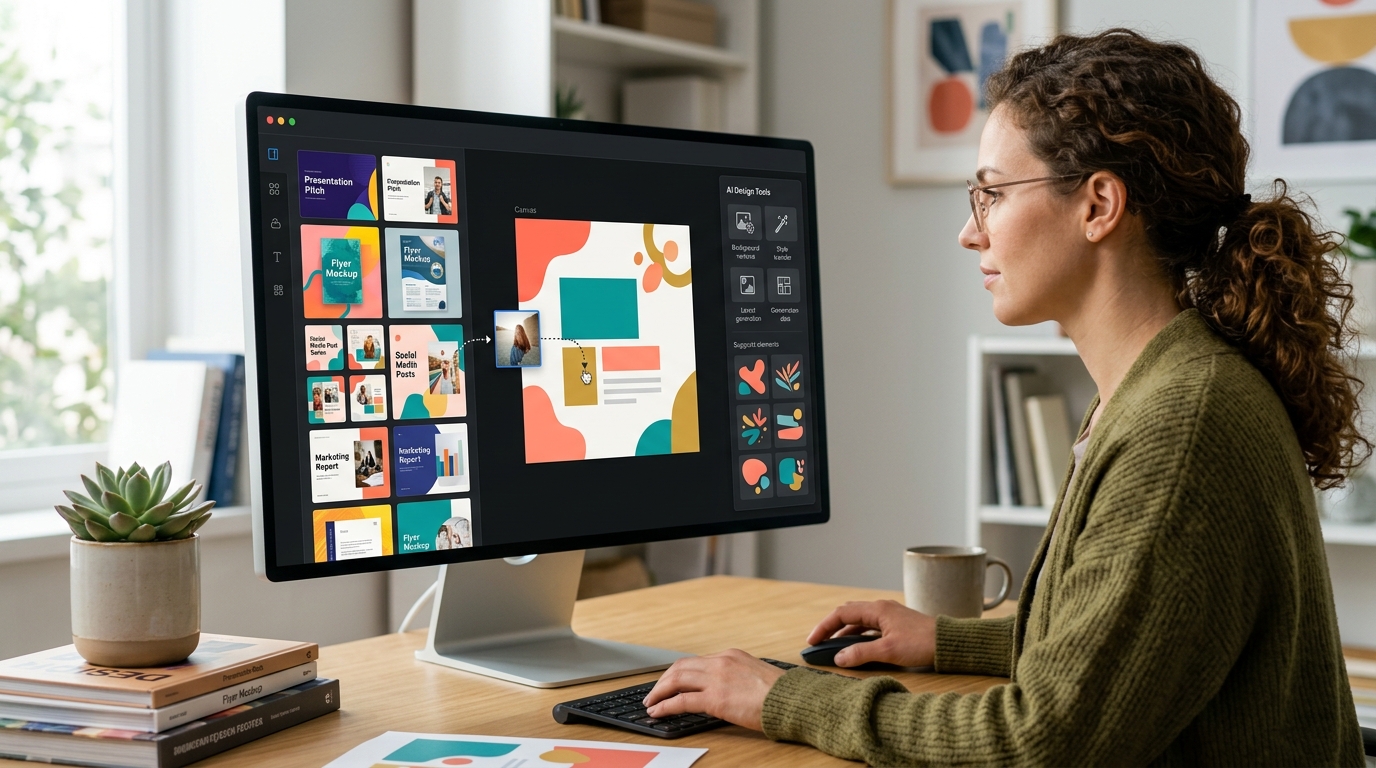
Adobe Express Overview
What Is Adobe Express?
Adobe Express is Adobe’s simplified design platform designed for users who want professional-quality creative tools without the complexity associated with traditional Adobe applications.
Originally launched as Adobe Spark, the platform evolved into Adobe Express and now serves as Adobe’s answer to the growing demand for accessible design software.
While Canva focuses heavily on simplicity, Adobe Express attempts to balance ease of use with the power of Adobe’s broader creative ecosystem.
For users already familiar with Adobe products, this integration can be a significant advantage.
Key Features of Adobe Express
Adobe Express provides a broad set of creative tools including:
- Graphic design editor
- Social media content creation
- Video editing
- PDF editing
- Brand management tools
- Content scheduling
- Animation tools
- AI-powered design features
- Adobe Stock integration
- Generative AI capabilities
- Quick Actions workflow automation
- Cross-platform synchronization
The platform is designed to support creators who want more creative flexibility while maintaining an approachable experience.
User Experience
Adobe Express has become considerably easier to use over the past several years.
The interface is modern, visually appealing, and generally intuitive. However, compared to Canva, new users may experience a slightly steeper learning curve.
This isn’t necessarily a drawback.
Many users appreciate having access to additional customization options that go beyond what Canva typically offers.
For users transitioning from professional Adobe software, Adobe Express often feels familiar while remaining significantly easier to master.
Adobe Ecosystem Integration
One of Adobe Express’s most important advantages is its connection to the wider Adobe ecosystem.
Users can work alongside assets from:
- Adobe Photoshop
- Adobe Illustrator
- Adobe Lightroom
- Adobe Acrobat
- Adobe Stock
- Adobe Creative Cloud Libraries
This connectivity can be especially valuable for businesses and creative professionals who already rely on Adobe products.
Instead of maintaining separate workflows, users can move assets between applications more efficiently.
Adobe Firefly AI Integration
Adobe has invested heavily in generative AI through its Firefly platform.
Adobe Express integrates several Firefly-powered capabilities, including:
- Text-to-image generation
- Generative fill
- Text effects
- AI-assisted design creation
- Object removal
- Image expansion
- Content generation
A major selling point for many organizations is Adobe’s emphasis on commercially safe AI-generated content.
Businesses concerned about copyright and commercial usage often view Adobe’s AI ecosystem as a strong differentiator.
Template Collection
Adobe Express offers a substantial library of templates covering:
- Social media graphics
- Marketing materials
- Presentations
- Promotional content
- Business documents
- Videos
- Advertising creatives
While Adobe’s template collection is impressive, many users still perceive Canva as having greater overall template variety and quantity.
However, Adobe templates often feel highly polished and aligned with professional branding standards.
Best Use Cases for Adobe Express
Adobe Express performs particularly well for:
- Marketing teams
- Professional creators
- Adobe Creative Cloud users
- Agencies
- Small businesses
- Brand-focused organizations
- Content marketers
- Social media professionals
Users who already work within Adobe’s ecosystem often find Adobe Express a natural extension of their workflow.
Advantages of Adobe Express
Adobe Ecosystem Integration
A major benefit for existing Adobe users.
Professional Creative Assets
Strong access to Adobe Stock and premium design resources.
Firefly AI Capabilities
Advanced generative AI tools continue to improve rapidly.
Strong Brand Management Features
Helpful for businesses maintaining visual consistency across campaigns.
Better Transition to Professional Tools
Users can more easily move into advanced Adobe applications as their needs evolve.
Limitations of Adobe Express
Smaller Template Library
Although extensive, the template selection generally feels smaller than Canva’s.
Slightly Higher Learning Curve
Beginners may require additional time to become comfortable with the platform.
Ecosystem Dependency
Some benefits are most valuable only if users already utilize Adobe products.
Who Should Choose Adobe Express?
Adobe Express is ideal for users who:
- Already use Adobe Creative Cloud
- Need stronger brand management capabilities
- Want access to Adobe Stock resources
- Require professional-quality creative assets
- Value advanced AI-powered image generation
For organizations invested in Adobe’s ecosystem, Adobe Express can be an exceptionally efficient content creation platform.

Canva vs Adobe Express Features Comparison
When comparing Canva vs Adobe Express, the most important consideration is not which platform offers more features on paper. Instead, it’s about which features provide the most value for your specific workflow.
Both platforms have expanded significantly beyond simple graphic design. Today, they function as all-in-one content creation hubs capable of supporting social media marketing, branding, presentations, video editing, AI-powered design generation, and team collaboration.
The difference lies in execution.
Canva focuses on accessibility and efficiency, while Adobe Express prioritizes creative flexibility and ecosystem integration.
Let’s compare the areas that matter most.
Design Editor Experience
The editor is where users spend most of their time, making it one of the most critical aspects of any design platform.
Canva Editor
Canva’s editor is designed around simplicity.
Users can:
- Drag and drop elements
- Edit text instantly
- Access templates quickly
- Resize projects easily
- Collaborate in real time
- Create content without technical knowledge
Everything feels optimized for speed.
Most first-time users can begin creating professional-looking content within minutes.
Adobe Express Editor
Adobe Express offers a similarly modern interface but includes more advanced customization options.
Users benefit from:
- Greater creative control
- Advanced animation options
- Stronger integration with Adobe assets
- Enhanced image editing capabilities
- Professional design workflows
The trade-off is a slightly steeper learning curve.
Winner: Canva
For ease of use and productivity, Canva remains the more approachable platform.
Social Media Content Creation
Social media remains one of the primary reasons people use these tools.
Canva for Social Media
Canva excels at rapid social media production.
Popular formats include:
- Instagram posts
- Instagram Stories
- Facebook graphics
- LinkedIn content
- Pinterest Pins
- YouTube thumbnails
- TikTok visuals
Canva’s template ecosystem allows creators to publish content quickly without sacrificing quality.
Adobe Express for Social Media
Adobe Express also performs exceptionally well in this category.
Key strengths include:
- Brand-consistent content creation
- Professional advertising assets
- Advanced image enhancements
- Firefly-powered AI generation
For marketing departments managing brand identity across multiple channels, Adobe Express can be particularly appealing.
Winner: Tie
Canva wins for speed and template variety, while Adobe Express wins for branding-focused content workflows.
Presentation Design
Many users rely on these platforms as alternatives to traditional presentation software.
Canva Presentations
Canva offers:
- Thousands of presentation templates
- Team collaboration
- Presenter tools
- AI-generated slide creation
- Interactive design elements
Educators, startups, and small businesses frequently choose Canva because presentations can be built rapidly.
Adobe Express Presentations
Adobe Express supports presentation creation but remains less presentation-focused than Canva.
Templates are polished, but the platform lacks some of Canva’s presentation-specific ecosystem advantages.
Winner: Canva
Canva has become one of the strongest presentation tools outside traditional office software.
Video Editing
Video content continues to dominate online marketing, making video editing capabilities increasingly important.
Canva Video Editor
Canva supports:
- Timeline editing
- Stock video integration
- Basic transitions
- Animations
- Text overlays
- Social media video creation
For short-form content, Canva performs remarkably well.
Adobe Express Video Tools
Adobe Express provides:
- Video trimming
- Audio enhancements
- Animation controls
- Professional templates
- Brand consistency tools
Users familiar with Adobe workflows often find Express more capable for marketing videos.
Winner: Adobe Express
Adobe Express offers slightly stronger video creation capabilities for professional content teams.
Canva AI vs Adobe Firefly AI
Artificial intelligence has become one of the biggest battlegrounds in design software.
Both Canva and Adobe have invested heavily in AI-powered content creation, but their approaches differ significantly.
Canva Magic Studio
Canva introduced Magic Studio to simplify content creation for non-designers.
Key tools include:
Magic Design
Generates layouts automatically from prompts, images, or existing content.
Magic Write
Creates written content for:
- Social media posts
- Marketing copy
- Blog outlines
- Product descriptions
Magic Resize
Transforms designs into multiple formats instantly.
Magic Edit
Allows users to replace or modify objects using AI prompts.
Magic Eraser
Removes unwanted objects from images.
Text-to-Image Generator
Creates images from natural language prompts.
Canva’s AI tools focus heavily on productivity and workflow acceleration.
Adobe Firefly AI
Adobe Firefly takes a more creator-focused approach.
Key capabilities include:
Text-to-Image
Generate detailed artwork and marketing visuals.
Generative Fill
Add or remove image elements naturally.
Generative Expand
Extend image dimensions intelligently.
AI Text Effects
Create stylized typography quickly.
AI-Powered Object Editing
Refine visual assets with greater precision.
Commercially Focused AI
Adobe emphasizes responsible AI development and commercially usable outputs.
This has become particularly important for businesses concerned about copyright compliance.
Which AI Platform Is Better?
The answer depends on your priorities.
Choose Canva AI if you want:
- Faster content production
- Marketing workflow automation
- AI-assisted design generation
- Simplicity
Choose Adobe Firefly if you want:
- Advanced image creation
- Professional visual editing
- Commercially focused AI workflows
- Creative flexibility
AI Winner: Adobe Express
Firefly currently offers more sophisticated image-generation and editing capabilities. However, Canva remains excellent for everyday business and marketing use.

Canva vs Adobe Express Pricing Comparison
Pricing can significantly influence which platform offers the best overall value. Fortunately, both Canva and Adobe Express provide free plans alongside premium subscriptions.
Canva Pricing
Canva typically offers:
Free Plan
Includes:
- Thousands of templates
- Basic design tools
- Limited AI credits
- Collaboration features
- Stock photos and assets
Canva Pro
Adds:
- Premium templates
- Brand Kit
- Background remover
- Expanded AI tools
- Premium stock assets
- Advanced scheduling tools
Canva Teams
Designed for organizations requiring:
- Shared brand management
- Team collaboration
- Workflow controls
- Centralized asset libraries
Adobe Express Pricing
Adobe Express generally provides:
Free Plan
Includes:
- Design templates
- Basic editing tools
- Limited AI capabilities
- Social media content creation
Premium Plan
Unlocks:
- Full Firefly access
- Premium templates
- Adobe Stock assets
- Advanced editing tools
- Branding features
Creative Cloud Integration
Some Adobe subscriptions include access benefits that increase Adobe Express’s value.
Which Offers Better Value?
For most individuals:
Canva often delivers more value immediately because its free plan is generous and its premium plans include an enormous amount of content.
For existing Adobe subscribers:
Adobe Express can become more attractive because of integration benefits and shared assets.
Pricing Winner: Canva
For standalone users, Canva typically provides the strongest overall value proposition.
Free Plan Comparison
Many users never upgrade, making free plan quality extremely important.
Canva Free Plan Strengths
- Large template collection
- Extensive asset library
- Collaboration features
- Basic video editing
- Design exports
- Beginner-friendly experience
Adobe Express Free Plan Strengths
- Professional templates
- Adobe ecosystem access
- Basic Firefly tools
- Strong image editing
Free Plan Winner: Canva
Canva remains one of the most generous free design platforms available.
For students, educators, bloggers, and startups, it’s difficult to beat.
Template Library Comparison
Templates often determine how quickly users can produce quality content.
Canva Templates
Canva is widely regarded as the leader in template quantity.
Categories include:
- Business
- Marketing
- Education
- Social media
- Events
- Presentations
- Documents
- Video
The sheer variety reduces the need to start from scratch.
Adobe Express Templates
Adobe Express offers fewer templates overall but focuses heavily on polished, professional designs.
Many users feel Adobe templates require less modification before publication.
Template Quality vs Quantity
Canva wins in quantity.
Adobe Express competes strongly in professional polish.
Template Winner: Canva
The breadth of Canva’s template ecosystem remains one of its strongest advantages.

Collaboration and Team Features Comparison
As remote work continues to grow, collaboration tools have become essential.
Canva Collaboration Features
Canva offers:
- Real-time editing
- Comments
- Shared folders
- Team workspaces
- Brand Kits
- Approval workflows
For distributed teams, Canva provides a highly accessible collaboration environment.
Adobe Express Collaboration Features
Adobe Express supports:
- Shared projects
- Brand consistency
- Asset sharing
- Adobe ecosystem collaboration
While effective, Adobe’s collaboration tools feel more connected to larger creative workflows than general-purpose teamwork.
Collaboration Winner: Canva
Canva’s collaboration experience remains more mature and user-friendly for most organizations.
Midpoint Scorecard
| Category | Winner |
|---|---|
| Ease of Use | Canva |
| Social Media Design | Tie |
| Presentations | Canva |
| Video Editing | Adobe Express |
| AI Tools | Adobe Express |
| Pricing | Canva |
| Free Plan | Canva |
| Templates | Canva |
| Collaboration | Canva |
Current Leader: Canva
At this stage of the comparison, Canva leads in the areas that matter most to the average user:
- Ease of use
- Templates
- Collaboration
- Presentations
- Overall value
Adobe Express remains highly competitive, especially in:
- AI image generation
- Professional creative workflows
- Brand-focused content creation
- Adobe ecosystem integration
Canva vs Adobe Express for Branding
Brand consistency is one of the most important factors for businesses creating content across multiple channels. Whether you’re managing a small business, a growing startup, or an established marketing department, maintaining a unified visual identity can directly impact customer trust and recognition.
Both Canva and Adobe Express provide branding tools, but they approach the challenge differently.
Canva Brand Kit
Canva’s Brand Kit is designed for accessibility and speed.
Users can store:
- Brand logos
- Custom color palettes
- Brand fonts
- Design templates
- Visual guidelines
Once configured, team members can quickly create branded content without needing extensive design knowledge.
For small businesses and marketing teams, this dramatically reduces the risk of inconsistent branding.
Canva also allows users to apply brand elements automatically across multiple designs, which can save significant time when producing large volumes of content.
Adobe Express Brand Features
Adobe Express takes a more professional brand-management approach.
Users can manage:
- Brand assets
- Design systems
- Shared creative libraries
- Adobe Creative Cloud resources
- Team-approved templates
Organizations already using Adobe applications benefit from centralized asset management across multiple creative tools.
This creates a more scalable branding workflow for larger teams.
Branding Winner: Adobe Express
While Canva offers excellent branding tools, Adobe Express gains an advantage through deeper creative asset management and stronger integration with professional design workflows.

Canva vs Adobe Express for Businesses
Business users often need much more than design tools. They need systems that help teams create content efficiently while maintaining consistency and productivity.
Why Businesses Choose Canva
Many businesses adopt Canva because of its simplicity.
Benefits include:
- Fast onboarding
- Minimal training requirements
- Team collaboration
- Large template library
- Social media scheduling
- Presentation creation
- Marketing material production
A small business owner can create:
- Social posts
- Flyers
- Business cards
- Sales presentations
- Email graphics
without needing specialized design experience.
For lean teams, this flexibility is extremely valuable.
Why Businesses Choose Adobe Express
Adobe Express appeals to businesses that prioritize creative quality and brand control.
Benefits include:
- Professional-grade visual assets
- Adobe Stock integration
- Firefly AI tools
- Enterprise-friendly workflows
- Creative Cloud connectivity
Businesses working closely with designers often appreciate Adobe’s ecosystem advantages.
Best Business Scenario
Small Businesses
Winner: Canva
Mid-Sized Marketing Teams
Winner: Canva
Creative Agencies
Winner: Adobe Express
Enterprise Creative Departments
Winner: Adobe Express
Canva vs Adobe Express for Content Creators
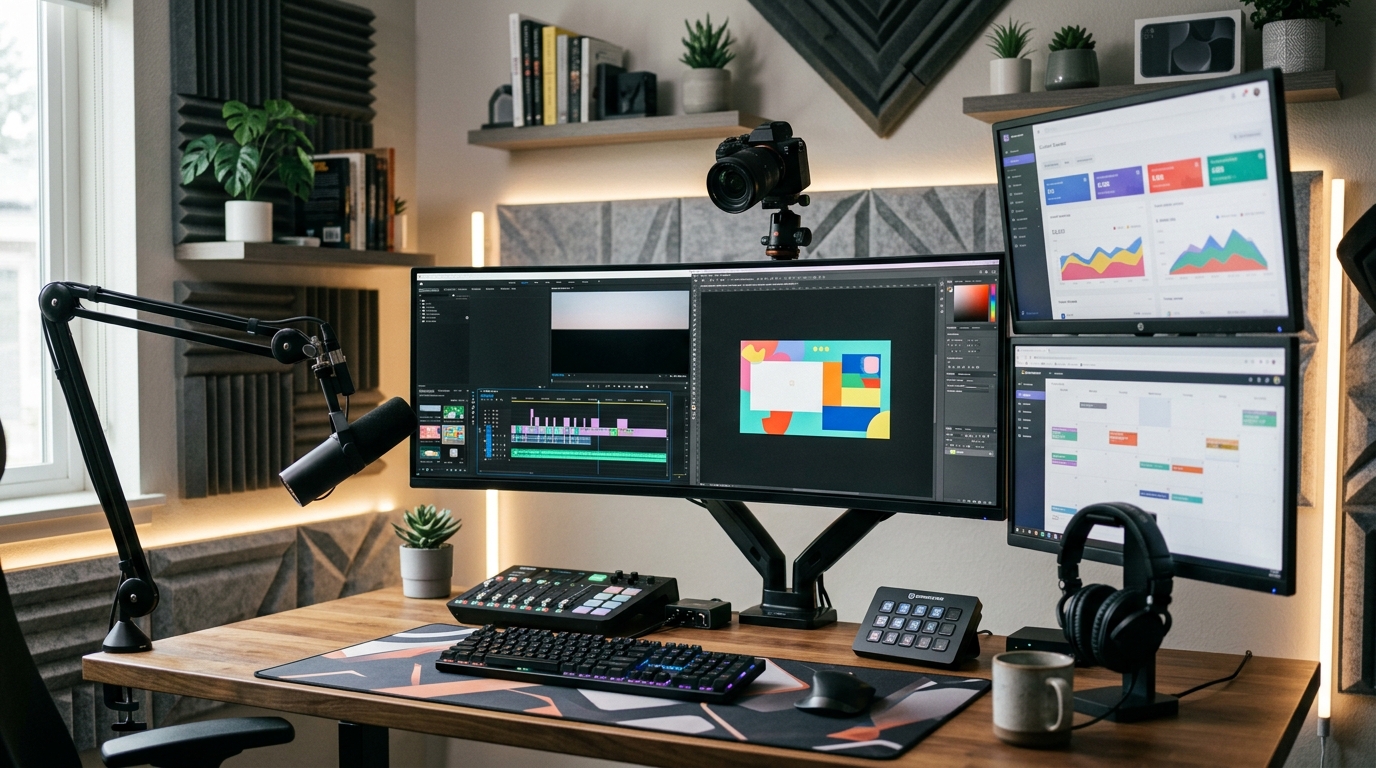
Content creators are among the largest user groups for both platforms.
From YouTubers and podcasters to bloggers and influencers, creators need tools that can produce content quickly without sacrificing quality.
Canva for Content Creators
Canva is almost purpose-built for creator workflows.
Popular use cases include:
- YouTube thumbnails
- Instagram posts
- TikTok graphics
- Pinterest pins
- Blog graphics
- Lead magnets
- Digital products
The platform allows creators to move quickly from concept to publication.
Canva’s massive template ecosystem often eliminates the need to hire designers for routine content production.
Adobe Express for Content Creators
Adobe Express offers stronger creative flexibility.
Content creators benefit from:
- Enhanced image editing
- Better AI-generated artwork
- Professional branding tools
- Adobe Stock access
- Higher-end visual customization
Creators who prioritize visual originality may prefer Adobe Express.
Content Creator Winner: Canva
For the majority of creators, Canva’s speed, simplicity, and template ecosystem make it the stronger overall choice.
Canva vs Adobe Express for Students and Educators
Educational users have become a major audience for both platforms.
Canva for Education
Canva offers substantial educational resources and classroom-friendly tools.
Popular features include:
- Presentation templates
- Classroom posters
- Lesson materials
- Infographics
- Collaborative projects
- Whiteboards
Many schools and universities have adopted Canva because students can learn it quickly.
Adobe Express for Education
Adobe Express also provides educational resources, but its strength lies in helping students develop creative skills that may transfer into professional Adobe applications later.
Students interested in graphic design, marketing, or creative careers may appreciate this pathway.
Education Winner: Canva
Canva’s ease of use and extensive education-focused resources give it the edge for most educational environments.
Canva vs Adobe Express for Marketing Teams
Marketing teams face unique challenges.
They must create large volumes of content while maintaining brand consistency and campaign effectiveness.
Canva Marketing Strengths
Marketing teams benefit from:
- Campaign templates
- Content scheduling
- Collaboration tools
- Brand Kits
- Presentation creation
- Workflow simplicity
Canva helps teams move quickly without overwhelming non-designers.
Adobe Express Marketing Strengths
Adobe Express shines in:
- Advanced branding
- Creative asset management
- Professional imagery
- Firefly AI workflows
- Adobe ecosystem integration
For highly creative marketing departments, these capabilities can be extremely valuable.
Marketing Team Winner
Small to Mid-Sized Teams: Canva
Large Creative Teams: Adobe Express
Real-World Workflow Comparison
Features are important, but workflow efficiency often determines which platform delivers better long-term value.
Let’s look at common scenarios.
Scenario 1: Creating an Instagram Campaign
Canva Workflow
- Select template
- Apply Brand Kit
- Customize content
- Resize for multiple platforms
- Schedule posts
Average completion time is often very fast.
Adobe Express Workflow
- Select template
- Apply brand assets
- Enhance visuals
- Use Firefly tools
- Export content
Results may appear more customized, but the process can take slightly longer.
Winner: Canva
Scenario 2: Building Professional Marketing Assets
Canva
Fast and effective.
Adobe Express
More creative flexibility and professional refinement.
Winner: Adobe Express
Scenario 3: Producing Daily Content
For creators publishing content every day:
- Speed matters
- Templates matter
- Workflow simplicity matters
Winner: Canva
Performance and Export Quality
Export quality is often overlooked during software comparisons.
Fortunately, both platforms perform well.
Canva Export Options
Supports:
- PNG
- JPG
- SVG
- MP4
- GIF
Export quality is generally excellent for business and marketing use.
Adobe Express Export Options
Supports:
- PNG
- JPG
- MP4
- Professional creative formats
Adobe’s image-processing heritage gives it a slight advantage for high-end visual projects.
Export Winner: Adobe Express
The difference is small but noticeable for advanced creative work.

Security, Privacy, and Data Considerations
Businesses increasingly evaluate software based on security and compliance requirements.
Canva Security
Canva offers:
- Two-factor authentication
- Team permissions
- Secure cloud storage
- Enterprise controls
For most users, Canva provides adequate protection.
Adobe Express Security
Adobe benefits from extensive enterprise experience.
Capabilities include:
- Enterprise-grade controls
- Creative Cloud security standards
- Advanced permissions
- Professional asset management
Organizations with strict compliance requirements may favor Adobe.
Security Winner: Adobe Express
Adobe’s enterprise heritage provides additional confidence for larger organizations.
Canva Pros and Cons
Advantages
✔ Extremely beginner-friendly
✔ Massive template library
✔ Excellent collaboration tools
✔ Strong free plan
✔ Affordable pricing
✔ Great for social media content
✔ Excellent presentations
✔ Fast content creation workflows
✔ Strong AI productivity tools
Limitations
✘ Limited advanced design controls
✘ Some templates feel overused
✘ Browser performance can slow with large projects
✘ Less suitable for highly customized creative work
Adobe Express Pros and Cons
Advantages
✔ Strong Adobe ecosystem integration
✔ Excellent Firefly AI capabilities
✔ Professional creative assets
✔ Better image editing tools
✔ Advanced branding workflows
✔ Strong enterprise support
✔ Access to Adobe Stock resources
Limitations
✘ Smaller template library
✘ Slightly steeper learning curve
✘ Premium value increases mainly for Adobe users
✘ Collaboration tools feel less streamlined than Canva
Expert Insights: What Matters Most in 2026
One of the biggest mistakes users make when comparing design platforms is focusing exclusively on feature lists. In practice, productivity often matters more than capabilities. A platform that helps you publish consistently can create more business value than one with advanced features you rarely use. At Retro Living Today, our evaluation consistently found that Canva excels because it reduces friction. Users spend less time learning software and more time creating content.
Adobe Express, meanwhile, shines when organizations require stronger creative control, professional asset management, and deeper integration with Adobe’s broader ecosystem. The right choice ultimately depends on your workflow. For many individuals and businesses, Canva’s simplicity is a competitive advantage. For creative professionals, Adobe Express may provide room to grow.
Suggested External References
For additional research and official product information, readers can explore:
- Canva Official Website
- Adobe Express Official Website
- Adobe Firefly Official Information
- Adobe Creative Cloud
- Canva Magic Studio Overview
- Google Digital Marketing Resources
Frequently Asked Questions (FAQ)
Is Canva better than Adobe Express for beginners?
Yes, Canva is generally better for beginners because its interface is easier to learn, its templates are more extensive, and most users can create professional-looking content with minimal training.
Canva vs Adobe Express: which has the better free plan?
Canva typically offers the stronger free plan. Users gain access to a larger template library, broader collaboration features, and more content creation tools without upgrading.
Is Adobe Express better than Canva for professional designers?
Adobe Express can be a better choice for professional designers, particularly those already using Adobe Creative Cloud. Integration with Photoshop, Illustrator, Adobe Stock, and Firefly creates a more advanced creative ecosystem.
Canva AI vs Adobe Firefly AI: which is better?
Adobe Firefly currently leads in AI-powered image generation and editing. Canva’s Magic Studio focuses more on productivity and workflow automation, making it excellent for marketers and content creators.
Which platform is better for social media graphics?
Both platforms perform exceptionally well. Canva offers more templates and faster workflows, while Adobe Express provides stronger branding and image-editing capabilities.
Canva vs Adobe Express for small businesses: which should I choose?
Most small businesses will benefit more from Canva due to its affordability, simplicity, collaboration tools, and extensive template collection.
Does Adobe Express work well without Creative Cloud?
Yes. Adobe Express functions independently and provides significant value on its own. However, users gain the greatest benefits when combining it with other Adobe applications.
Which platform is better for creating presentations?
Canva is generally considered the stronger presentation tool due to its large template library, collaboration features, and presentation-focused ecosystem.
Canva Pro vs Adobe Express Premium: which offers better value?
For most individuals and small businesses, Canva Pro provides better overall value. Adobe Express Premium becomes more attractive for users already invested in Adobe’s ecosystem.
Is Canva or Adobe Express better for content creators?
Canva is usually the preferred choice for content creators because it enables faster production of thumbnails, social media posts, blog graphics, lead magnets, and marketing materials.
Final Verdict: Canva vs Adobe Express
There is no bad choice between Canva and Adobe Express. Both platforms have matured into highly capable design ecosystems that can support creators, educators, marketers, businesses, and teams. However, when evaluating overall value, usability, flexibility, and accessibility, Canva emerges as the stronger option for most users in 2026.
Its advantages include:
- Easier learning curve
- Larger template ecosystem
- Better collaboration tools
- Stronger free plan
- Excellent presentation features
- Faster content creation workflows
- Competitive AI capabilities
Adobe Express remains an outstanding platform, particularly for users who:
- Already use Adobe products
- Require advanced image editing
- Need professional branding workflows
- Value Adobe Firefly AI
- Work within creative teams
For the average user looking for the best balance of power and simplicity, Canva remains the platform to beat. At Retro Living Today, our recommendation is straightforward:
Choose Canva if you want the easiest and most versatile design platform.
Choose Adobe Express if you’re already invested in Adobe’s creative ecosystem and need more advanced creative control.
Either way, both platforms represent some of the best graphic design software available today, and both continue to evolve rapidly as AI-powered design becomes an increasingly important part of modern content creation.