
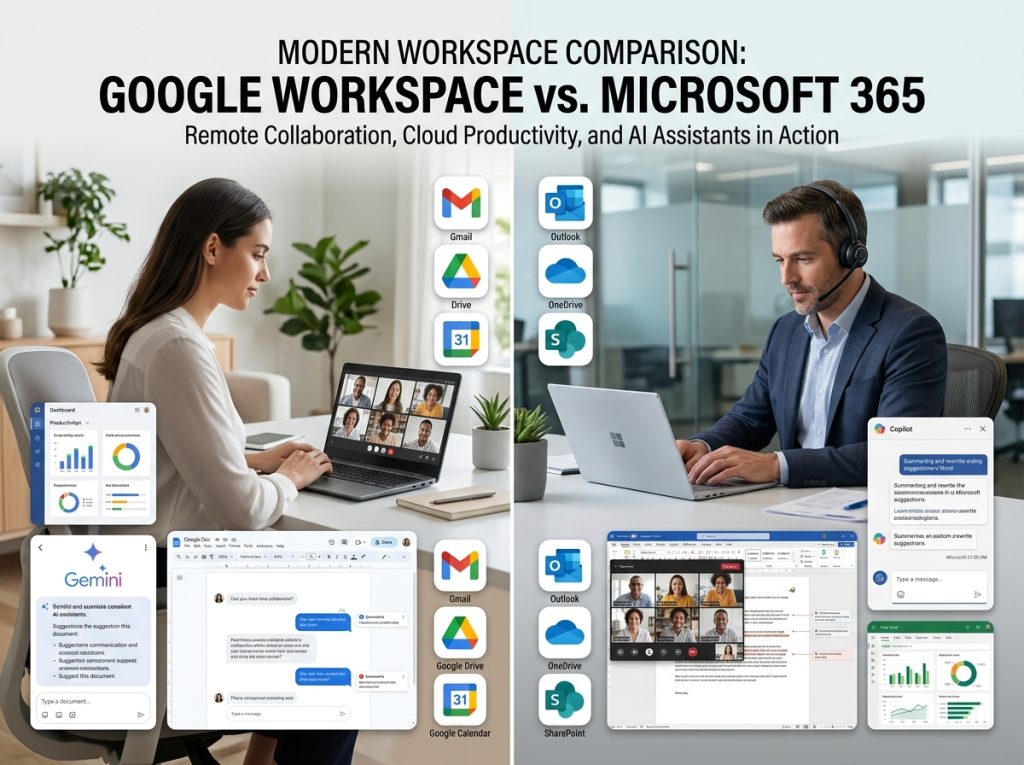
Selecting the right productivity suite is one of the most important technology decisions a business can make. Whether you’re running a startup, managing a remote workforce, operating a growing small business, or overseeing an enterprise organization, the platform you choose affects communication, collaboration, security, and operational efficiency every day.
For years, the debate around Google Workspace vs Microsoft 365 has remained one of the most discussed topics in business technology. Both platforms dominate the cloud productivity market and offer powerful solutions for email, document creation, team collaboration, video meetings, cloud storage, security, and now artificial intelligence.
However, while both platforms appear similar on the surface, their strengths are quite different. Google Workspace focuses heavily on cloud-native collaboration and simplicity, while Microsoft 365 delivers deep functionality, enterprise-grade tools, and seamless integration with traditional desktop applications.
The rise of AI-powered productivity tools has made the decision even more important. Businesses now need to evaluate not only email and document software but also AI assistants such as Google Gemini and Microsoft Copilot, which are rapidly changing how work gets done.
In this comprehensive guide from Retro Living Today, we’ll compare Google Workspace and Microsoft 365 across pricing, features, collaboration, security, storage, AI capabilities, scalability, and overall value to help you determine which platform best fits your organization’s needs.
Understanding Google Workspace and Microsoft 365
Before diving into detailed comparisons, it’s important to understand what each platform actually offers.
Google Workspace is Google’s cloud-based productivity ecosystem that includes Gmail, Google Drive, Docs, Sheets, Slides, Meet, Chat, Calendar, and Gemini AI integrations. The platform was built primarily for browser-based work and real-time collaboration.
Microsoft 365 combines Microsoft’s cloud services with desktop applications including Outlook, Word, Excel, PowerPoint, Teams, OneDrive, SharePoint, and Microsoft Copilot. It provides both cloud and desktop experiences, making it attractive for organizations with more advanced productivity requirements. While both suites aim to solve similar business challenges, they approach productivity from very different philosophies.
Google Workspace Overview
Key Features
- Gmail Business Email
- Google Docs
- Google Sheets
- Google Slides
- Google Meet
- Google Drive
- Google Calendar
- Google Chat
- Gemini AI Integration
Best For
- Startups
- Remote teams
- Small businesses
- Digital agencies
- Organizations prioritizing collaboration
Advantages
- Easy to learn
- Excellent real-time collaboration
- Clean interface
- Strong browser-based experience
- Minimal IT management
Limitations
- Fewer advanced desktop capabilities
- Less powerful spreadsheet functionality
- Limited offline productivity
Verdict
Google Workspace excels for teams that live in the cloud and prioritize simplicity and collaboration.
Microsoft 365 Overview
Key Features
Best For
- Medium-sized businesses
- Enterprises
- Data-heavy organizations
- Regulated industries
- Advanced productivity users
Advantages
- Powerful desktop applications
- Industry-leading spreadsheet capabilities
- Advanced security options
- Extensive enterprise tools
- Strong compliance framework
Limitations
- Steeper learning curve
- More administrative complexity
- Higher total ownership costs in some scenarios
Verdict
Microsoft 365 remains the productivity standard for businesses requiring advanced functionality and enterprise-grade controls.

Google Workspace vs Microsoft 365 Pricing
Pricing often becomes the deciding factor for many organizations.
Google Workspace generally offers straightforward pricing structures, making budgeting easier for smaller businesses. Microsoft 365 provides more plan variations and feature combinations, which can be advantageous for larger organizations but more complicated for decision-makers.
When comparing entry-level plans, costs are relatively similar. However, as businesses scale and require advanced security, compliance, and AI features, pricing differences become more noticeable.
Organizations should evaluate total value rather than subscription cost alone. Features such as storage, AI capabilities, security tools, and administrative controls can significantly affect overall ROI.
Which Offers Better Value?
For startups and small teams, Google Workspace often delivers excellent value due to its simplicity and lower administrative overhead.
For larger organizations requiring advanced workflows, Microsoft 365 frequently provides better long-term value because of its broader feature set.

Collaboration Tools Comparison
Collaboration has become the defining feature of modern workplace software.
Google Workspace pioneered real-time document collaboration. Multiple users can edit documents simultaneously, view changes instantly, and communicate within shared workspaces.
Microsoft 365 has dramatically improved collaborative capabilities through Teams, SharePoint, and cloud-enabled Office applications. While historically stronger in desktop productivity, Microsoft now offers highly competitive collaboration experiences.
Google Workspace Collaboration
Google Workspace remains one of the easiest platforms for real-time teamwork. Google Docs allows seamless multi-user editing with minimal setup. Team members can share files instantly, leave comments, suggest edits, and collaborate from virtually any device. For organizations operating remotely, this simplicity is often a major advantage.
Microsoft 365 Collaboration
Microsoft Teams has become one of the world’s most widely adopted collaboration platforms.
Teams integrates meetings, messaging, document sharing, project communication, and workflow automation into a unified workspace.
For businesses already invested in Microsoft infrastructure, the ecosystem creates significant productivity benefits.
Collaboration Winner
For pure real-time document collaboration, Google Workspace remains slightly ahead. For integrated communication and enterprise collaboration, Microsoft 365 often provides a more complete solution.
Gmail vs Outlook: Business Email Comparison
Email remains central to business communication.
Gmail for Business
Gmail is known for:
- Clean interface
- Strong spam filtering
- Easy setup
- Mobile-friendly design
- Familiar user experience
Many startups and small businesses prefer Gmail because employees already know how to use it.
Outlook for Business
Outlook provides:
- Advanced email management
- Calendar integration
- Enterprise controls
- Shared mailbox support
- Extensive customization
Organizations handling large volumes of email often prefer Outlook’s advanced organizational features.
Email Winner
For simplicity and ease of use, Gmail often wins. For power users and enterprise environments, Outlook typically offers greater flexibility.
Google Docs vs Microsoft Word
This comparison often influences entire purchasing decisions.
Google Docs
Google Docs excels at:
- Real-time editing
- Browser access
- Quick collaboration
- Automatic saving
- Easy sharing
Microsoft Word
Microsoft Word remains the industry standard for:
- Advanced formatting
- Publishing-quality documents
- Long-form content
- Professional reports
- Enterprise documentation
Document Creation Winner
For collaboration, Google Docs wins.
For advanced document creation, Microsoft Word remains unmatched.
Google Sheets vs Excel
For data professionals, this is perhaps the most important comparison.
Google Sheets
Strengths include:
- Collaboration
- Simplicity
- Cloud accessibility
- Easy sharing
Microsoft Excel
Excel dominates when it comes to:
- Complex calculations
- Financial modeling
- Data analysis
- Pivot tables
- Macros and automation
Spreadsheet Winner
Microsoft Excel remains the clear winner for advanced data work.
Security and Compliance
Security requirements continue to grow across industries.
Google Workspace Security
Google Workspace offers:
- Two-factor authentication
- Endpoint management
- Data loss prevention
- Advanced phishing protection
- Security center monitoring
Microsoft 365 Security
Microsoft provides:
- Microsoft Defender
- Advanced threat protection
- Identity management
- Information protection
- Enterprise compliance tools
Security Winner
For enterprise-level security and compliance, Microsoft 365 generally leads. Organizations operating in highly regulated industries often prefer Microsoft’s extensive compliance ecosystem.

AI Capabilities: Gemini vs Microsoft Copilot
Artificial intelligence has become one of the biggest differentiators between productivity suites.
Google Workspace AI
Google Gemini integrates into:
- Gmail
- Docs
- Sheets
- Meet
- Drive
Users can generate content, summarize information, create drafts, and automate repetitive tasks.
Microsoft Copilot
Copilot works across:
- Word
- Excel
- PowerPoint
- Outlook
- Teams
Its integration with Microsoft’s ecosystem enables powerful enterprise workflows.
AI Winner
For general productivity and content generation, both platforms perform exceptionally well. For enterprise workflows and advanced business processes, Microsoft Copilot currently offers broader capabilities.
Which Platform Is Best for Different Businesses?
Best for Startups
Google Workspace often wins due to:
- Lower complexity
- Fast deployment
- Easy collaboration
- Minimal IT requirements
Best for Small Businesses
Either platform can work well, depending on operational needs.
Best for Enterprises
Microsoft 365 generally provides:
- Greater scalability
- Advanced compliance
- Enterprise integrations
- Administrative controls
Best for Remote Teams
Google Workspace remains one of the strongest options for distributed workforces.
Best for Data-Heavy Organizations
Microsoft 365 and Excel remain industry leaders.
Frequently Asked Questions
Is Google Workspace better than Microsoft 365 for small businesses?
Google Workspace is often easier to deploy and manage for small businesses, while Microsoft 365 offers more advanced productivity tools and enterprise capabilities.
Which is cheaper, Google Workspace or Microsoft 365?
Entry-level pricing is similar, but costs vary based on storage, security features, AI tools, and administrative requirements.
Is Gmail better than Outlook for business?
Gmail offers simplicity and ease of use, while Outlook provides advanced organizational features and enterprise controls.
Which platform is better for remote teams?
Google Workspace is frequently preferred by remote teams due to its seamless cloud-native collaboration tools.
Is Microsoft Excel better than Google Sheets?
For advanced analytics, financial modeling, and large datasets, Microsoft Excel remains the stronger platform.
Which platform has better security?
Microsoft 365 generally provides more extensive enterprise security and compliance capabilities, although Google Workspace also offers strong protection.
What is the difference between Microsoft Copilot and Google Gemini?
Microsoft Copilot focuses on productivity within Microsoft’s ecosystem, while Gemini integrates deeply into Google’s productivity applications.
Can businesses switch from Google Workspace to Microsoft 365?
Yes. Numerous migration tools and services exist to transfer emails, documents, calendars, and user data between platforms.
Which platform is better for startups?
Google Workspace is often the preferred choice for startups because of its simplicity, ease of collaboration, and lower management overhead.
Does Microsoft 365 include desktop applications?
Yes. Many Microsoft 365 plans include desktop versions of Word, Excel, PowerPoint, and Outlook.
Conclusion
The Google Workspace vs Microsoft 365 debate ultimately comes down to how your organization works. Google Workspace excels in simplicity, collaboration, and cloud-native productivity. It is particularly attractive for startups, small businesses, digital agencies, and remote teams that prioritize real-time collaboration and minimal IT complexity.
Microsoft 365 shines in advanced productivity, enterprise security, compliance, and powerful desktop applications. Organizations that rely heavily on Excel, complex workflows, regulatory compliance, or enterprise-scale administration often find Microsoft 365 to be the stronger choice.
As AI continues to transform workplace productivity through Gemini and Microsoft Copilot, both platforms are evolving rapidly. The best decision is to evaluate your team’s workflows, security requirements, collaboration needs, and long-term growth plans before committing to either ecosystem.
At Retro Living Today, we recommend testing both platforms through their trial offerings and assessing how they align with your organization’s real-world needs. The right productivity suite isn’t necessarily the most popular one—it’s the one that enables your team to work smarter, collaborate better, and scale efficiently in the years ahead.